A two-node homelab where I design, deploy, observe, and operate real applications—exposed through a VPS without opening my home network directly to the internet.
# deliberately small, intentionally real
platform:
nodes: [compute, storage]
ingress: VPS → WireGuard
runtime: Docker + Proxmox
access: OAuth + private mesh
signals: metrics, logs, health● all public paths operational
trafficVPShome lab
Software Engineer III
About me
Product engineer. Systems operator.
I’m Anikesh, a Software Engineer III with 4+ years of experience building reliable backend and full-stack systems. At work, I focus on distributed services, data platforms, performance, and compliance. At home, I run the entire lifecycle—from an idea and a pull request to networking, deployment, observability, and recovery.
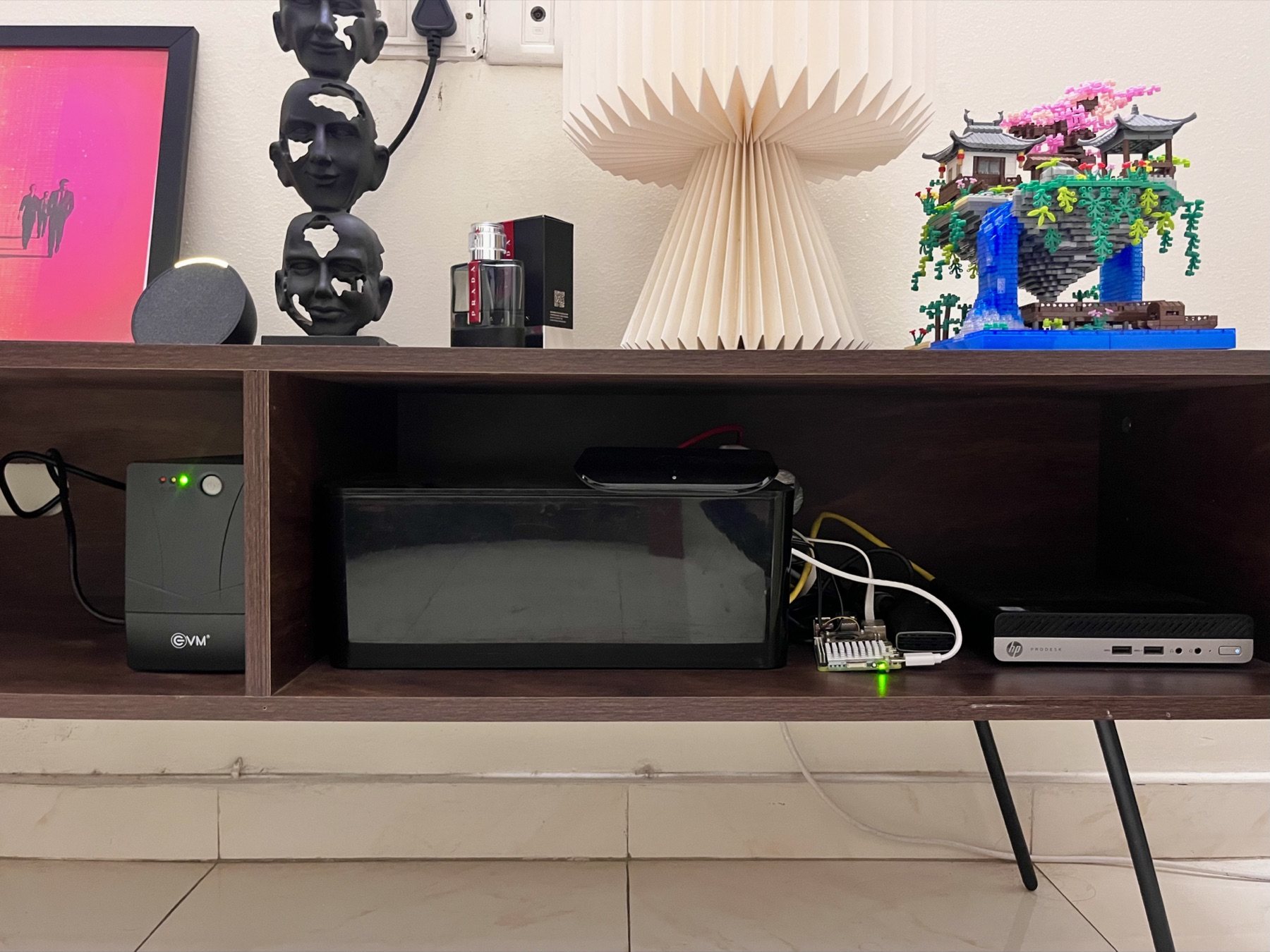
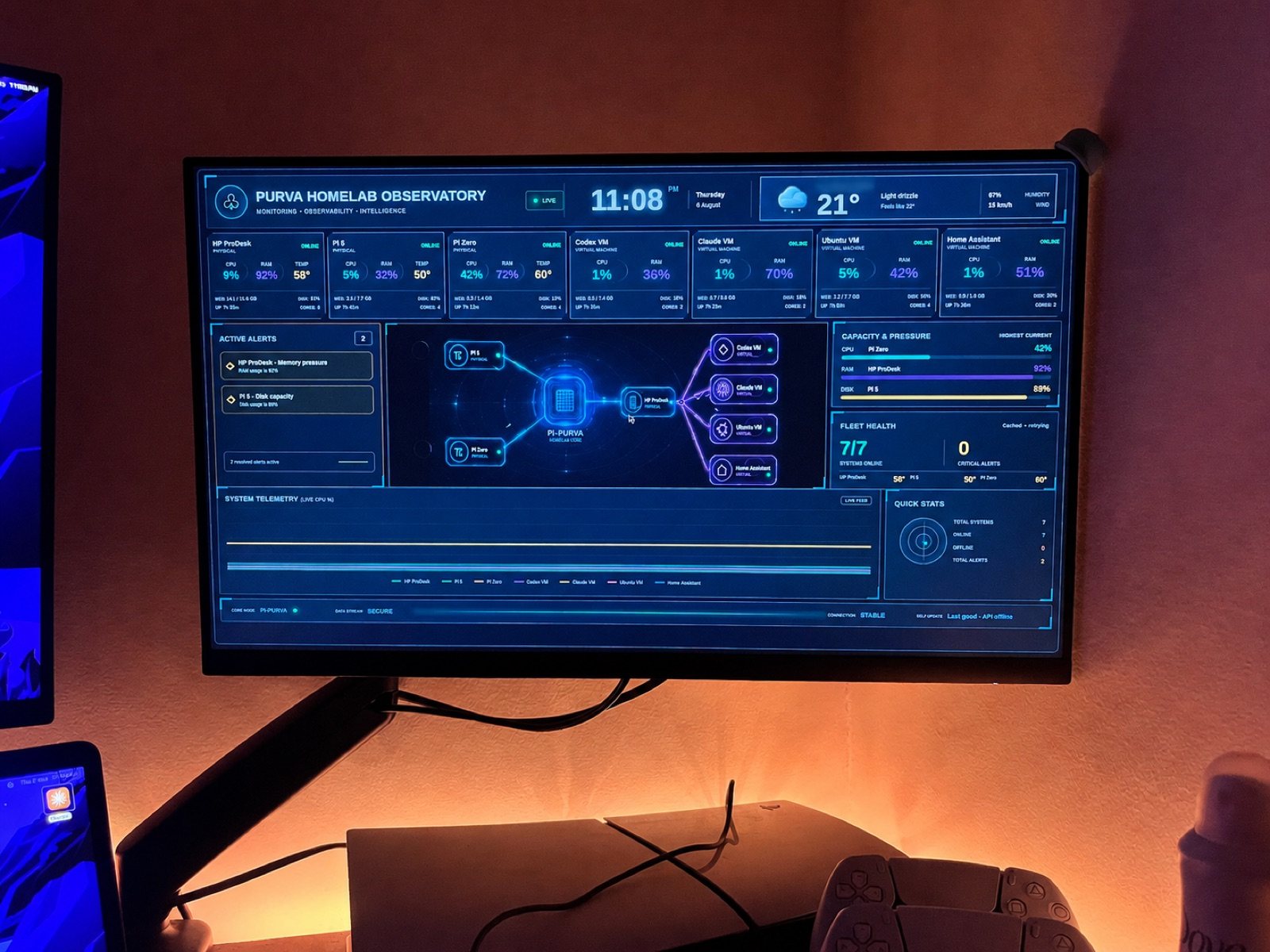
THE PHYSICAL LAYERTwo nodes, one UPS, and a lot of iteration.Homelab Observatory / live fleet view
Architecture explorer
Follow a request through the system.
This is not a cloud diagram assembled for a slide. Select a path to see how the running platform handles traffic, data, and operations.
PATH 01
A public request, end to end
The VPS is the only public edge. Traffic enters the home network through an encrypted tunnel and terminates at the intended application.
Observed at every hop
Health probes, route metrics, container signals, and alerts make this path diagnosable.
Gatus · Prometheus · Grafana · SSE
Selected systems
Projects that have to keep working.
Personal projects with production concerns: authentication, queues, caching, safe automation, deployment, monitoring, and recovery.
01PUBLIC SOURCE
Application platform
Home Operations Platform
A single authenticated surface for the tools I actually use: price tracking, coding practice, flight monitoring, fleet diagnostics, and long-running workflows.
A homelab is useful precisely because resources are finite and failure is personal. These choices keep the system understandable and recoverable.
DECISION / STORAGE
Databases stay local. Bulk data travels.
Latency-sensitive databases and configuration live on the compute node's local disk. The Raspberry Pi remains the authoritative NFS storage node for photos, media, and backups.
Trade-off accepted
The storage node can still affect dependent apps, so mounts and startup order are monitored explicitly.
Four years into building production software
I like systems that are useful after the demo ends.
This platform is where product engineering, distributed systems, infrastructure, and operational discipline meet.